
Introduction
The scenario is familiar to everyone. You are at an airport, a hotel lobby, or your favorite local coffee shop. You have some time to kill, or maybe you need to get some work done. You open your laptop or phone and see the network: "Free_Customer_WiFi".
You click connect. But instead of the internet, a pop-up window appears (technically known as a Captive Portal).
It greets you with a friendly message: "Welcome! To access our free high-speed internet, please enter your email address below."
It seems harmless. It’s just an email, right? It’s the small "tax" you pay for free connectivity. So, you type in your primary Gmail address, click "Connect," and forget about it.
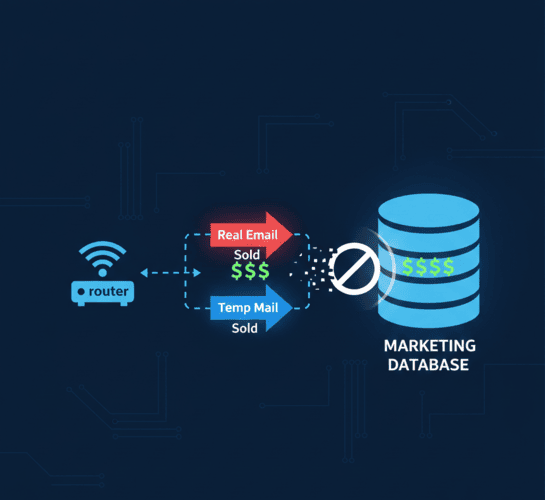
You just made a mistake. By entering your real email, you didn't just log in to the internet; you logged yourself into a massive location-tracking marketing database. In this guide, we will explain why Public Wi-Fi portals are data traps and how TempMailM lets you bypass them securely.
The "Free Wi-Fi" Business Model: You Are the Product
Let's be clear: Installing and maintaining commercial-grade Wi-Fi is expensive for businesses. Why do they give it away for free?
They don't. They are trading bandwidth for data.
When you enter your email into a captive portal, that data is instantly valuable.
-
Location Tracking: Now they know exactly who you are (linked to your email) and exactly where you are (their physical location). If it's a chain store (like Starbucks or McDonald's), they can track which branches you visit and how often.
-
Device Fingerprinting: They link your email address to your device's MAC address (a unique hardware ID). The next time you walk near any of their stores, even if you don't connect, their system might recognize your phone looking for a signal.
-
Marketing Lists: The most immediate annoyance. By clicking "Connect," you often unknowingly tick a box agreeing to receive newsletters, promotions, and partner offers. Suddenly, your inbox is full of ads for muffins and lattes.
The Security Risks: MitM and Snooping
Beyond marketing privacy, there is a genuine security risk to using your primary credentials on a public network.
Public networks are, by definition, insecure. A common hacking technique is the Man-in-the-Middle (MitM) attack. A hacker sits in the same cafe and broadcasts a fake Wi-Fi signal with a similar name (e.g., "Starbucks_Free_WiFi" instead of "Starbucks_WiFi").
If you connect to the hacker's fake network and enter your real email address into their fake login portal, you have just handed your identity directly to a cybercriminal. They can then use that email to target you with phishing attacks later.
The Temp Mail Defense: If you had used a disposable email address on that fake portal, the hacker would have stolen... absolutely nothing. A random string of letters that expires in 10 minutes. You remain safe.
How to Connect to Public Wi-Fi Safely (The Protocol)
Next time you encounter a Wi-Fi login screen, follow this simple protocol to protect your identity.
Step 1: Check the Terms
Look at the login page. Does it require email verification (sending a code to the inbox), or does it just want an email format?
-
Type A (Format Only): Many older portals just check if the text contains an "@" symbol. You can sometimes type
[email protected]. -
Type B (Verification Required): Modern, secure portals will email you a "Click to Connect" link. This is where you need a real, working inbox.
Step 2: Generate a Temp Mail
-
Keep your Wi-Fi login page open.
-
Open your mobile browser (Safari/Chrome) using your cellular data.
-
Go to TempMailM.com.
-
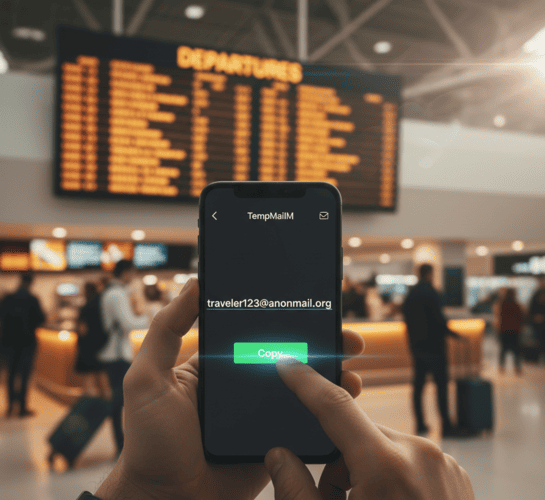
Copy the address instantly generated at the top.
Step 3: Authenticate and Disconnect
-
Paste the temp email into the Wi-Fi login portal.
-
If it asks for verification, switch back to the TempMailM tab to click the link.
-
Once connected, you are in!
Pro Tip: If the Wi-Fi asks for a name, use a fake one. If it asks for a phone number, try to skip it or use a VOIP number if possible. Never give real data for a 30-minute internet session.
Why TempMailM is Perfect for Mobile Users
Some disposable email sites are heavy, full of pop-ups, and crash on mobile browsers. This is a nightmare when you are standing in an airport line trying to get online.
TempMailM is built differently:
-
Responsive Design: It looks and works like a native app on iPhone and Android.
-
Fast Loading: It loads instantly, even on slow 3G/4G connections (which you might be using before you get on Wi-Fi).
-
No App Needed: You don't need to download an app from the store (which requires internet!). Just visit the site.
Conclusion: Convenience Without Compromise
We all love free Wi-Fi. It saves our data plans and lets us work from anywhere. But "free" shouldn't mean "giving up your privacy."
The next time a cafe, hotel, or airport demands your digital passport (your email) just to let you check the news, refuse the trade. Use a disposable email address.
It allows you to enjoy the convenience of connectivity without the hangover of spam and tracking. Be smart, stay connected, and keep your personal inbox private.