
Introduction
Social media is a double-edged sword. On one hand, it is essential for keeping up with news, memes, and trends. On the other hand, it is the most intrusive surveillance machinery ever invented.
When you sign up for Facebook, X (Twitter), or Instagram with your primary email, you are creating a permanent link between your browsing habits and your real-world identity.
-
Your boss can find your profile via "Suggested Friends."
-
Your aunt can comment on your political tweets.
-
And worst of all: Your inbox gets flooded with "You have a new notification" emails every single day.
But what if you just want to browse? What if you want to follow a niche hobby, argue about sports, or view content without being tracked?
The solution is creating a "Burner Account" (or Alt Account) using a disposable email service like TempMailM. In this guide, we will show you how to set up social media profiles that are private, spam-free, and untraceable.
Why Use a Disposable Email for Social Media?
There are three compelling reasons to never use your main email for a new social profile:
1. To Stop the Notification Tsunami
Social media algorithms are designed to be addictive. If you don't log in for a while, they start emailing you: "John posted a photo," "You missed this tweet." Unsubscribing is tedious. By using a temp mail, these desperate attempts to grab your attention go straight to a digital trash can. Your real inbox stays peaceful.
2. To Prevent "Cross-Platform" Tracking
Facebook buys data from everywhere. If you use [email protected] for Facebook and also for buying shoes on Amazon, Facebook knows you bought those shoes. They connect the dots. By using a unique TempMailM address for your social account, you break this data link. You become a "ghost" to their tracking algorithms.
3. To Create Specialized "Alt" Accounts
Maybe you want a Twitter account just for crypto news, or an Instagram just for looking at interior design. You don't want these mixing with your personal life. A disposable email allows you to spin up a specialized account in seconds without the hassle of creating a new Gmail.
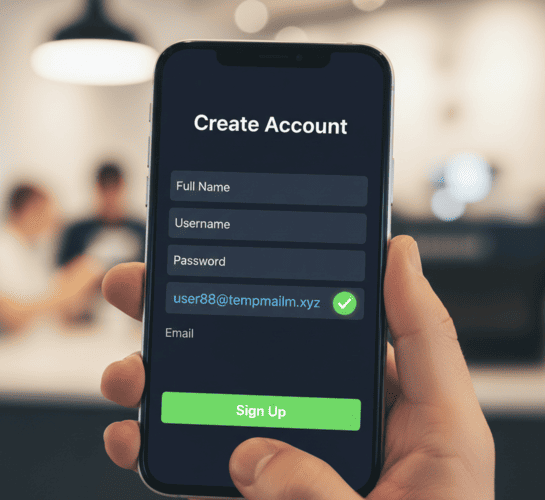
Step-by-Step Guide: Signing Up Anonymously
Ready to go undercover? Follow these steps.
(Note: Social media security is tough. Follow these instructions carefully to avoid getting your account banned immediately.)
Step 1: Get Your Credentials
-
Open TempMailM.com in a new tab.
-
Copy the email address generated for you. Keep this tab open!
Step 2: Start the Registration
-
Go to the social platform (e.g., Twitter.com or Facebook.com).
-
Important: Use "Incognito Mode" or a different browser. This ensures cookies from your main account don't leak over.
-
Click "Sign Up."
-
When asked for "Phone or Email," choose Email. (Never choose phone if you want anonymity).
-
Paste your TempMailM address.
Step 3: Verification
-
The platform will say: "We sent a code to your email."
-
Switch back to the TempMailM tab.
-
Wait a few seconds. The code will appear in the inbox list.
-
Copy the code, paste it into the social site, and confirm.
Step 4: The "Phone Number" Hurdle
Reality Check: Sometimes, after verifying the email, Twitter or Facebook might still ask for a phone number to prove you aren't a robot.
-
Do NOT use your real number.
-
Try using a VOIP service (like Google Voice) or a cheap prepaid SIM card if you are serious about privacy.
-
Sometimes, simply restarting your router (to get a new IP) or using a mobile data connection helps bypass this check.
Best Practices for Maintaining the Account
Since disposable emails are temporary, you need to manage your "Burner Account" wisely.
-
Don't Log Out: Once you are logged in on your browser, try to stay logged in. Since you might lose access to the email inbox later, resetting a forgotten password will be impossible.
-
Add a Backup (Optional): If you plan to keep this account for a long time (e.g., more than a week), consider changing the email in the settings to a secondary permanent email (like a ProtonMail account) once you are inside. Use TempMailM just to get through the door initially.
-
Be a "Good" User: Accounts created with temp mails are flagged as "High Risk" by algorithms. Don't follow 500 people in one minute. Don't spam comments. Act like a normal human to avoid triggering a bot check.
Conclusion: Social Media on Your Terms
You don't owe these platforms your data. You don't owe them access to your primary inbox.
Using a disposable email address gives you the freedom to explore the social web without the baggage. Whether you want to quietly observe a trend, separate your hobbies from your career, or just avoid the endless "Ding!" of notifications, TempMailM is your gateway to a quieter, more private social media experience.
Create your burner account today and start scrolling freely.